
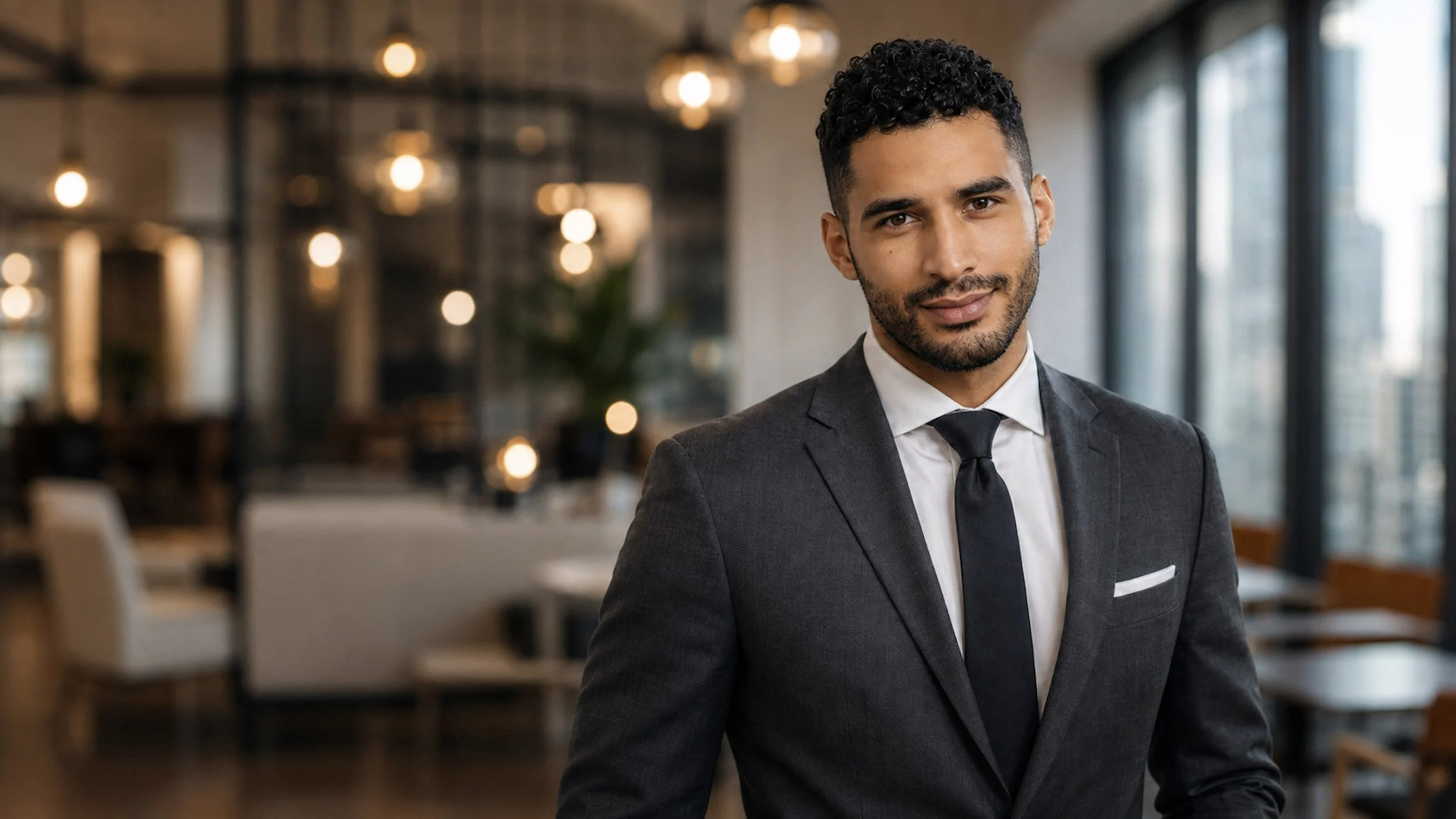
Corporate Headshot made with ai assisted imaging by remotephotoshoots.com
As more companies hire employees across different cities, states, and countries, maintaining a consistent visual identity can become surprisingly difficult.
Remote Photoshoots solves that problem with a photographer-directed, AI-assisted process.
This is not a traditional remote photoshoot where a photographer controls your phone or directs you live over video. Instead, each employee submits clear reference photos, and new professional portraits are created remotely using AI-assisted imaging under the direction of an experienced portrait photographer.
That means your team can receive coordinated headshots without scheduling live sessions, traveling to a studio, or trying to make different photographers in different cities produce the exact same look.
The result is a consistent visual system across your entire team while still preserving each employee’s individual likeness.
Why Consistent Team Headshots Matter
Company headshots are part of your brand.
When employees appear together on a website, proposal, directory, press page, or LinkedIn campaign, consistency helps the company look organized and intentional.
That does not mean every employee has to look identical.
The goal is usually consistency in elements such as:
Background
Lighting
Crop
Camera perspective
Image quality
Wardrobe direction
Overall tone
Individual personality can still come through.
Why Traditional Team Photoshoots Can Be Difficult for Remote Companies
Traditional corporate photography works well when everyone is in one office.
It becomes much more complicated when employees are spread across multiple cities or states.
Companies may need to:
Hire photographers in several locations
Coordinate multiple schedules
Match lighting and backgrounds
Give identical creative direction to different photographers
Re-edit images so they feel cohesive
Repeat the process whenever a new employee joins
Even with careful planning, the final portraits can still look noticeably different.
How This Remote Headshot Process Works
Remote Photoshoots does not photograph employees live through a phone or video call.
Instead, each employee provides clear reference photographs. Those photos are used as visual references to create a new professional portrait with AI-assisted imaging.
Before the portraits are created, the company can define visual standards such as:
Background color or environment
Crop
Wardrobe direction
Lighting style
Expression
Brand colors
Overall level of formality
A photographer then uses those standards to personally direct the look of each finished portrait so the entire team feels visually consistent.
AI is part of the image-making process. The photographer still directs the portrait.
Do Employees Need Professional Reference Photos?
No.
In many cases, clear phone photos are enough.
The reference images should ideally be:
Recent
Well lit
In focus
Free of heavy filters
Clear enough to see facial features
Representative of the employee’s current appearance
The reference photograph does not need to have the correct professional wardrobe, background, or lighting.
Those elements can be created as part of the new portrait.
Can Everyone Have the Same Background?
Yes.
One of the biggest advantages of this process is the ability to create a consistent environment across the entire team.
For example, a company may choose:
White studio background
Soft gray background
Brand-colored backdrop
Modern office
Architectural setting
Neutral environmental background
Employees can be located in completely different places while the finished portraits still belong visually to the same set.
Should Everyone Wear the Same Thing?
Usually, no.
Consistency does not require identical clothing.
A stronger approach is often to establish a dress standard rather than a uniform.
For example:
Corporate Team
Business attire in neutral or company-approved colors.
Tech Company
Polished business casual with relaxed styling.
Creative Agency
Individual wardrobe with consistent lighting and background.
Real Estate Brokerage
Professional clothing with more personality and variation.
This keeps the portraits coordinated without making employees look artificially uniform.
What About New Hires?
This is where remote AI-assisted headshots can be especially useful.
Traditional company photography often becomes outdated as employees join or leave.
A remote system allows new hires to be added later using the same creative standards.
The new employee does not have to wait for the next company-wide photoshoot.
Their portrait can be created to match the existing team.
Can Remote Headshots Still Look Like Each Employee?
They should.
Consistency should apply to the photography, not erase individuality.
The finished portraits should preserve important characteristics such as:
Facial proportions
Skin tone
Hair
Age
Body type
Individual expression
Personal features
The goal is to make everyone look like they were photographed by the same photographer under the same creative direction.
It is not to make everyone look the same.
Why Generic AI Headshot Generators Can Be a Bad Fit for Corporate Teams
Generic AI headshot generators can be useful for individuals who simply want a large batch of polished images to choose from.
For corporate teams, though, that same approach can create problems.
Each employee may receive images with different lighting, backgrounds, camera angles, wardrobe styles, facial proportions, and overall image quality. Even if each headshot looks acceptable on its own, the full team gallery can still feel inconsistent.
That inconsistency can weaken the company’s visual brand.
Common issues can include:
Different background tones across employees
Inconsistent crop and head size
Different levels of retouching
Unpredictable wardrobe choices
Varying lighting styles
Facial features shifting from image to image
Skin texture that looks overly smooth or artificial
Hair that looks unrealistic
Employees appearing more or less formal than one another
New hires being difficult to match to the existing team later
There is also a quality-control problem.
With a generic generator, each employee is often responsible for deciding which image looks most accurate and professional. That can mean ten different employees making ten different visual decisions.
The result may technically be a collection of professional-looking portraits, but not necessarily a cohesive corporate headshot system.
Why Photographer-Assisted AI Headshots Are Better for Corporate Teams
A photographer-assisted AI process combines the flexibility of AI with the consistency and visual judgment of professional portrait photography.
Instead of allowing each employee to generate and choose images independently, the company can establish the visual direction first.
That means the photographer can control the elements that make a team gallery feel cohesive, including:
Lighting style
Background
Camera perspective
Crop
Head size
Wardrobe direction
Expression
Retouching level
Color balance
Overall brand tone
The AI helps create the images, but the photographer provides the quality control.
That difference is especially important for companies because a corporate headshot is not just an individual portrait. It becomes part of a larger visual system.
A photographer can look at the team as a whole and ask:
Does this employee’s portrait match the rest of the gallery?
Is the lighting consistent?
Does the background belong to the same visual set?
Is this employee presented at the same level of professionalism as everyone else?
Does the portrait still accurately represent the person?
Those are decisions a generic generator is not necessarily designed to make across an entire organization.
Better Consistency Without Making Everyone Look Identical
Photographer-assisted AI also makes it easier to create consistency without turning the team into copies of one another.
Employees can still have:
Different hairstyles
Different skin tones
Different body types
Different clothing
Different expressions
Different levels of formality where appropriate
The photographer can preserve those differences while maintaining a consistent photographic style.
That creates a team page that feels cohesive rather than uniform.
Better Quality Control
AI-generated portraits can contain small visual problems that may not be obvious at first glance.
These can include unnatural hair, strange clothing details, inconsistent skin texture, incorrect proportions, or subtle differences in facial likeness.
When a photographer is involved, those details can be evaluated as part of the creative process instead of simply accepting whichever generated image looks best.
For a corporate website, where portraits may be displayed together and viewed closely, that additional quality control matters.
Easier Onboarding for New Employees
A photographer-directed system can also make future growth easier.
Once a company’s headshot style has been established, new employees can be added using the same visual standards.
The company does not have to recreate the look from scratch every time someone joins.
That makes the headshot process more repeatable and scalable for remote and growing teams.
A More Intentional Corporate Image
Generic generators are designed primarily to create individual images.
A photographer-assisted AI process can be designed around the company’s brand.
That means headshots can reflect whether the organization wants to feel:
Traditional
Modern
Approachable
Luxury
Creative
Technical
Corporate
Casual
Innovative
The goal is not just to make every employee look good.
The goal is to make the entire team look like they belong to the same organization.
What Makes a Team Headshot Look Professional?
Strong corporate headshots usually share several characteristics.
Consistent Crop
Head size and framing should feel similar across the team.
Consistent Lighting
One employee should not appear dramatically brighter, darker, or more contrasty than everyone else.
Consistent Camera Perspective
Different lens perspectives can make portraits look as though they came from completely different photographers.
Appropriate Styling
Wardrobe and grooming should feel aligned with the company’s brand and industry.
Realistic Detail
Skin, hair, clothing, and backgrounds should look believable rather than overly processed.
Who Benefits Most From Remote Team Headshots?
Remote team headshots can work especially well for:
Fully remote companies
Hybrid companies
Startups
Consulting firms
Real estate brokerages
Law firms
Financial companies
Healthcare practices
Agencies
Nonprofits
Distributed leadership teams
They are also useful for companies that frequently hire new employees and need a repeatable headshot process.
Why This Process Works Well for Remote Companies
The biggest advantage is standardization.
A company can create one visual direction and apply it across employees regardless of location.
That can make onboarding easier, simplify future updates, and create a more cohesive presentation across your website and professional materials.
It also reduces the logistical burden of coordinating traditional photoshoots in multiple cities.
Remote Headshots Can Simplify Company Branding
A professional team page does not require bringing every employee into one physical studio.
With clear visual standards, AI-assisted imaging, and professional creative direction, remote employees can receive coordinated portraits regardless of where they live.
At Remote Photoshoots, corporate headshots are created remotely from employee reference photographs and personally directed by an experienced portrait photographer.
The technology makes the process flexible.
The photographer makes the team look cohesive.
One team. One visual standard. Different locations.
